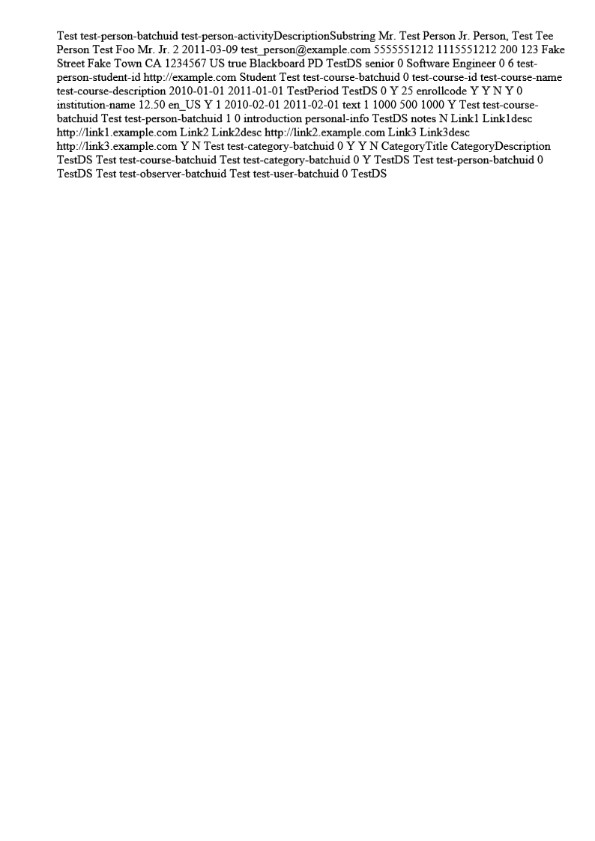
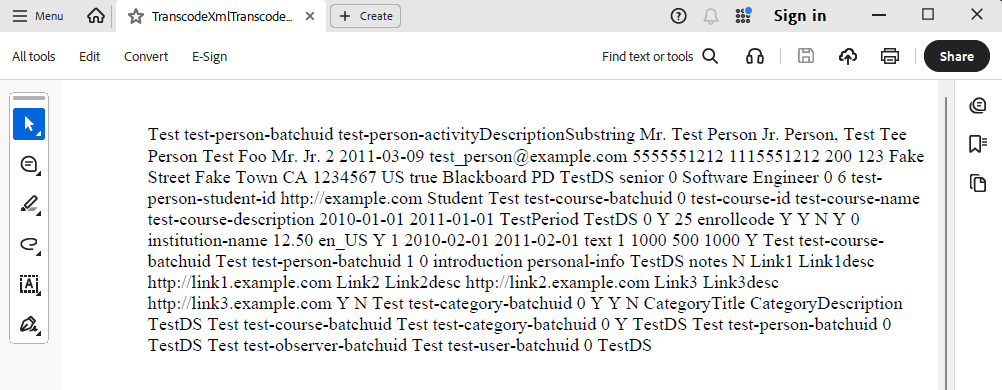
We use GemBox.Pdf’s PDF → Image conversion functionality to generate thumbnails.
After a fairly recent update, we noticed a degradation in image quality for text-heavy documents (it appears that original fonts and/or their weights are no longer preserved), as well as a significant increase in the resulting image file size (two times or more).
In production, we typically extract relatively small thumbnails (up to 320×320 px). However, for demonstration purposes, I generated larger images to make the issue more visible.
The difference in image file size is also quite noticeable: approximately 55 KB in the old version versus 130 KB in the new one.
Could you please advise what might have caused this change (both in visual appearance and file size), and what options are available to restore the previous behavior?
Note that this is a hidden (unlisted) version. To install it, you’ll need to run the above command on the NuGet Package Manager Console (Tools → NuGet Package Manager → Package Manager Console).
After upgrading GemBox.Pdf to version 2026.2.105, we started experiencing two issues related to PDF thumbnail extraction. The same functionality worked correctly with version 2026.1.107.
Issue 1
Error message:"Invalid character was detected while reading a dictionary."
Method:GemBox.Pdf.PdfDocument.Save
Issue 2
Error message:"End-of-file was reached before literal string was read entirely."
Method:GemBox.Pdf.PdfDocument.Save
Unfortunately, we are unable to share the affected PDF files because they contain secured content.
Please let me know if you need any additional details.