Can not see corret configuration of data label in PDF

HI,

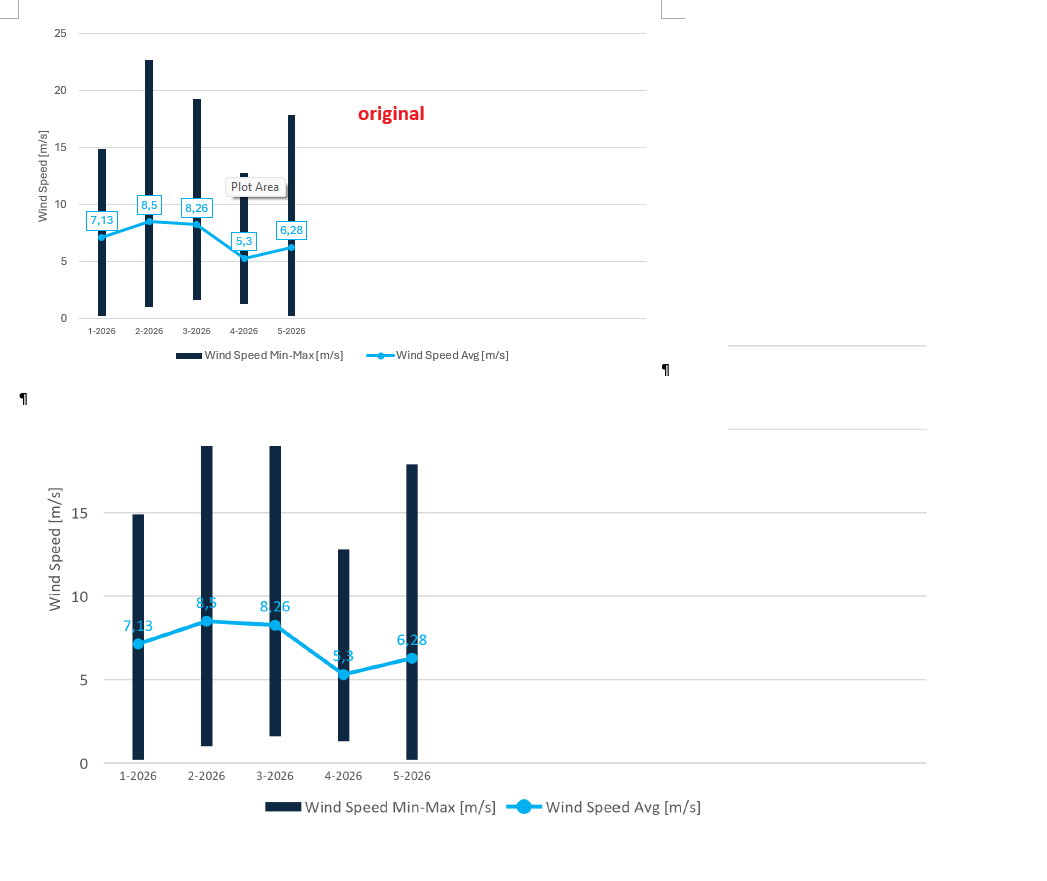
I have .docx file with configuration of chart dt label with background color. When I use DocumentModel with PdfSaveOptions and try to save .docx as .pdf I loose this configuration - no background color.

I have saved .docx too in my test via DocumentModel.Save(), and I can see background color there, but in .pdf is not present. I can only see correct text color. After at have tried to change setup in .docx file in any way I could think about, I am giving up, and ask for help here.

I am sending images from original file and pdf created via PdfDocument.Save().

Hi,

Can you please send us your DOCX file so we can investigate that chart element?

Regards,
Mario

Hi,

Please try again with these NuGet packages:

Install-Package GemBox.Spreadsheet -Version 2026.7.119

Install-Package GemBox.Document -Version 2026.7.118

Note that these are hidden (unlisted) versions. To install them, you’ll need to run the above commands on the NuGet Package Manager Console (Tools → NuGet Package Manager → Package Manager Console).
Does this solve your issue?

Regards,
Mario

Hi,

It works - I can see background on chart data label.

When will this version of DLL be final?

Thanks

Hi,

Please note that we do not make public releases on each build. Instead, we do it after a few fixes and/or enhancements (cumulative updates).

We do it monthly, see the release dates:

These versions will be available in the next public releases, sometime at the beginning of August.

I hope this works for you.

Regards,
Mario